
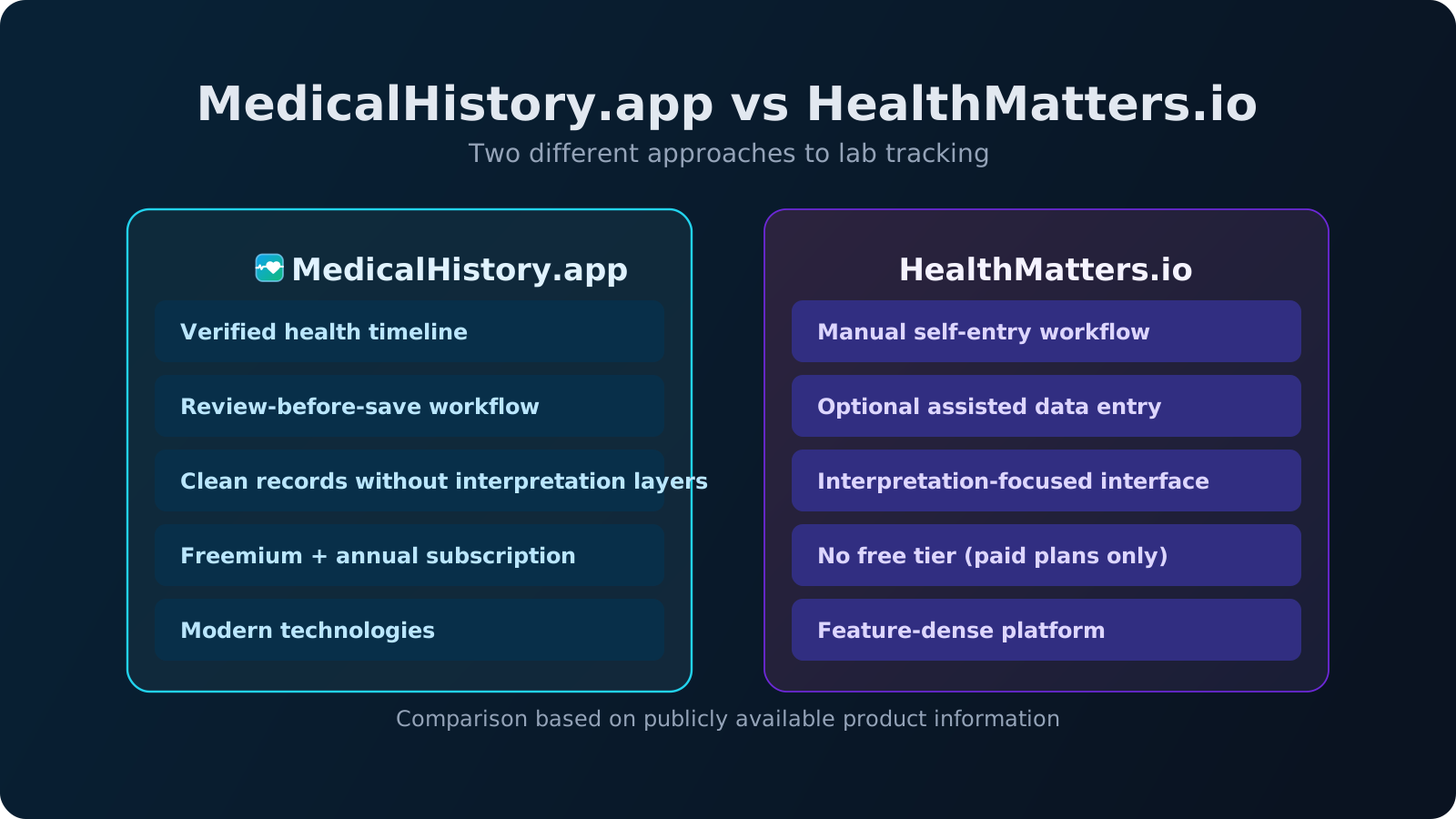
If you are trying to organize blood test reports across years, you have probably seen both MedicalHistory.app and HealthMatters.io. They solve the same core problem: health data is usually fragmented across PDFs, portal logins, and disconnected timelines.
This comparison is written for practical decision-making. It focuses on workflow design, data quality model, and pricing structure, not marketing language.
The goal is not to declare one product "the winner." The goal is to help you pick the tool that best matches your real tracking style.
What both tools do well
Both platforms cover the baseline requirements most users need:
- Store lab results from multiple labs or providers
- Track biomarkers across repeated tests
- View trends over time instead of isolated one-off reports
- Keep records in one account with sharing and export capabilities
In other words, both products target long-term continuity. The meaningful differences are in implementation philosophy and data-entry flow.
MedicalHistory.app at a glance
MedicalHistory.app is built around a verification-first timeline model. The system extracts values from a report, then you confirm entries before final persistence. This workflow is designed to help users verify extracted values before they become permanent timeline data.
- PDF upload with extraction pipeline
- Human review checkpoint before final save
- Minimal interface with no diagnostic recommendations
- Explicit data-control posture with export and deletion paths
- Freemium entry with paid subscription plans
Best fit: people who want a clean archive, low UI noise, and high confidence that trend rows were reviewed before they become long-term history.
HealthMatters.io at a glance
HealthMatters has operated for many years and positions itself as both a tracking platform and a large educational biomarker reference resource. Public product pages highlight file upload, self-entry forms, assisted entry options, and broad biomarker interpretation content.
- Long operating history and established user base
- Large biomarker library with explanatory material
- Self-entry workflow plus optional assisted data-entry service
- Personal plans publicly listed as yearly and one-time options
- Interpretive and lifestyle context integrated in the product
Best fit: people who want built-in educational context and are comfortable with a broader feature-dense surface beyond pure archival workflow.
MedicalHistory.app vs HealthMatters.io: side-by-side comparison
| Category | MedicalHistory.app | HealthMatters.io |
|---|---|---|
| Platform design approach | Modern, recently built | Long-established platform |
| Pricing model | Freemium + starting from 49$/year (Pro) | $79/year (Advanced) or $250 one-time (Unlimited) |
| Ingestion workflow | Automated extraction pipeline + confirm-before-save | File upload, self-entry forms, and assisted entry options |
| Product posture | Archive and trend clarity first | Tracking plus interpretation content |
| Interface style | Modern, minimal, focused workflow | Feature-rich product evolved over years |
Note: plan names, prices, and feature sets can change. Always confirm current details on official vendor pages before purchasing.
Core philosophy difference
The biggest distinction is not design language. It is product philosophy:
- HealthMatters leans toward an interpretation-rich model with education and in-product context around what results might mean.
- MedicalHistory.app is intentionally narrower: timeline integrity, low-noise records, and user-controlled interpretation with clinician input.
This is a workflow preference question. Some users want more guidance inside the platform. Others want a clean record system without recommendation overlays.
HealthMatters alternative for lab tracking
If you are specifically searching for a HealthMatters alternative, the practical decision usually comes down to workflow style. MedicalHistory.app is built for users who want a clean timeline workflow with explicit review before persistence, while HealthMatters is positioned as a broader feature surface with interpretation context and multiple entry paths.
Neither approach is universally better. The right choice depends on whether you prefer a minimal archive-first system or a more feature-dense interface with interpretation layers.
Pricing and ownership lens
HealthMatters publicly lists both a yearly personal plan and an unlimited one-time personal plan. That can be attractive if you prefer upfront lifetime access over ongoing subscription decisions.
MedicalHistory.app uses a freemium onboarding path with paid subscription for continued use. That model can be simpler if you want to test the exact workflow first and then decide based on daily fit.
If cost comparison is your top criterion, compare not only headline plan price, but also expected ingestion effort, review effort, and how many years you plan to maintain your archive.
How MedicalHistory.app compares to HealthMatters for PDF-based lab tracking
For PDF-heavy workflows, the practical distinction is how quickly you can move from raw document to trusted timeline data. MedicalHistory emphasizes extraction plus explicit review before final persistence, while HealthMatters materials describe a combination of file upload, self-entry, and assisted entry options.
If your priority is reducing ambiguity in ingestion, evaluate how each product handles unit consistency, row-level verification, and confidence before values become part of your longitudinal history.
Which should you choose?
Choose MedicalHistory.app if your priority is data integrity, minimal interface complexity, and a review-before-save ingestion model.
Choose HealthMatters if your priority is broad biomarker education inside the product and flexibility between self-entry and assisted data entry.
If you are still unsure, start by uploading your first report in MedicalHistory.app and evaluate how the review workflow feels for your day-to-day tracking.
How this guide fits your tracking stack
This is a comparison page. For the operational workflow behind long-term consistency, read how to track lab results over time.
If your biggest bottleneck is ingestion quality from documents, continue with extracting lab results from PDF reports.
FAQ: MedicalHistory.app vs HealthMatters.io
Is MedicalHistory.app free?
MedicalHistory.app offers a free entry path so you can upload your first reports and experience the review-before-save workflow before committing to a paid plan. This helps users evaluate how the timeline verification model works in practice.
Which model is better for long-term timeline quality?
Both platforms support longitudinal tracking. A review-before-save step may help reduce ingestion mistakes when importing laboratory reports, which can improve data reliability — but workflow preference does not predict health outcomes.
Why do people look for a HealthMatters alternative?
People often search for a HealthMatters alternative when they want a simpler workflow for organizing laboratory reports over time. While HealthMatters includes a broad interpretation and education layer, some users prefer a minimal timeline-focused system that prioritizes clean records and verified biomarker history.
Can MedicalHistory extract results from lab PDFs?
MedicalHistory is designed to extract biomarker values from laboratory PDF reports automatically and then ask the user to verify extracted data before it becomes part of the long-term timeline. This review step helps ensure stored values match the original report.
Can I export my data from both tools?
Both platforms describe export capabilities in their public materials. When choosing a long-term health archive tool, it is advisable to confirm how easily you can export your biomarker history if you decide to migrate in the future.
Are these tools a replacement for clinical care?
No. These platforms are record and trend systems designed to help organize laboratory history. They can improve context for medical appointments, but they do not replace diagnosis or treatment decisions from licensed clinicians. Many users treat tools like MedicalHistory as a personal health record layer that complements clinical care rather than replacing it.
Try a real report and compare workflow quality
Upload one recent report and evaluate how clearly you can verify, track, and retrieve your biomarker history.
This comparison is based on publicly available product information and official pages accessed in March 2026. Features and pricing may change over time.